
Inside the Workshop
Why We Built Order Product Links
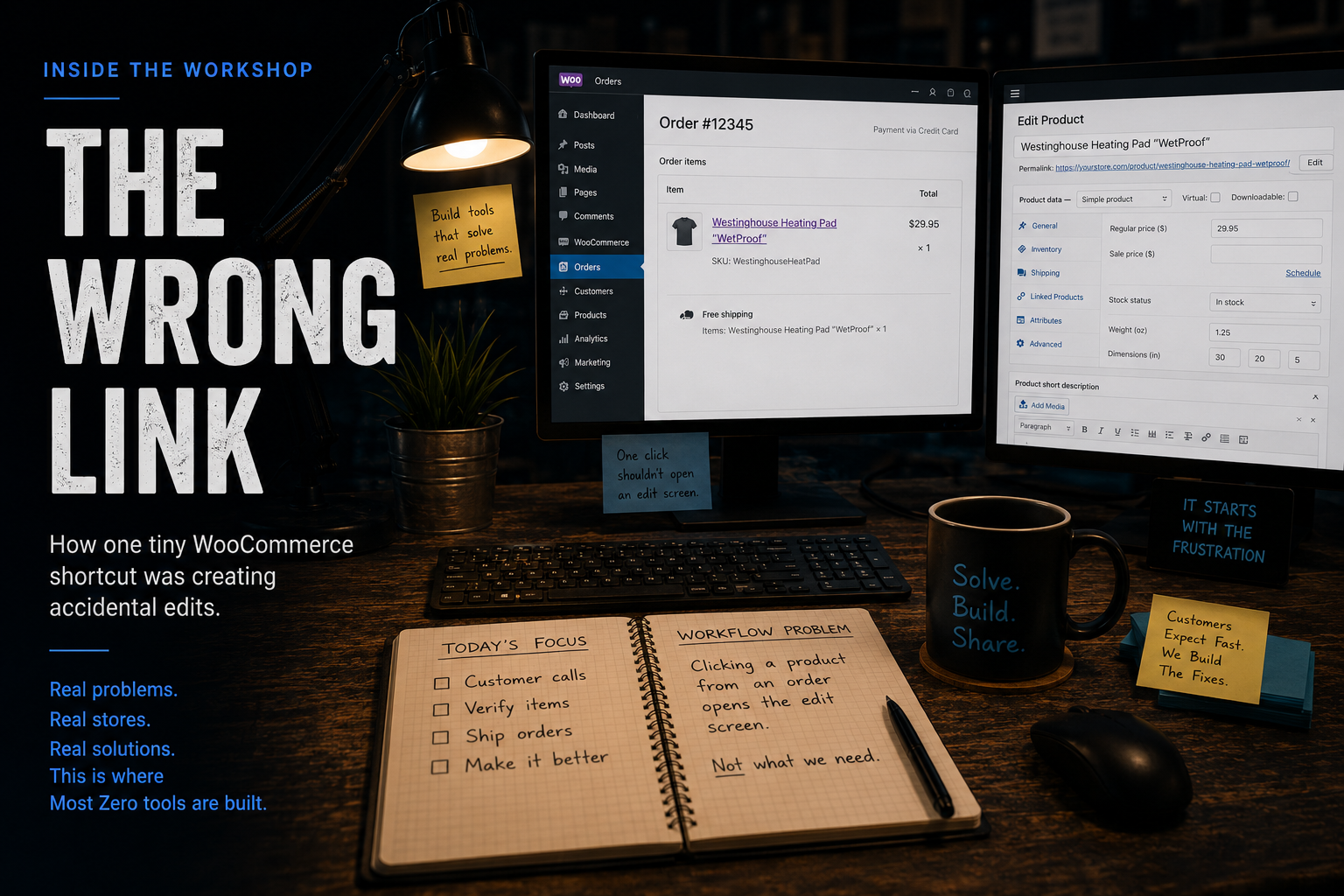
Running a busy WooCommerce store means product pages get opened hundreds of times every week. What surprised me wasn’t how often they were being opened—it was where they were being opened.
It took me quite a while to figure out where random typos were coming from and why product values occasionally seemed to change for no apparent reason.
Then I noticed something.
Every time a customer called about an order—or someone in the shipping department needed to verify they were packing the correct item—they were clicking the product from the WooCommerce order.
The problem?
WooCommerce’s native product link opens the Edit Product screen.
They didn’t need to edit the product.
They just needed to see it.
Staff weren’t trying to change descriptions, prices, or inventory. They simply wanted to view the product the same way the customer did. But the only built-in path from an order was straight into one of the most powerful—and potentially dangerous—screens in WooCommerce.
See It In Action
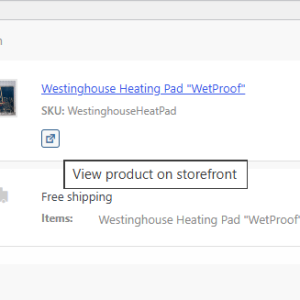
A Simple Link Button
- One click instead of two
- No risk of unintended editing
- No editing ability needed for the shipping team

Tipping Point
The moment that finally pushed us to build this plugin came while training a new employee.
To make training safer, we intentionally limited their access to product editing. It was a simple way to prevent accidental mistakes while they learned our workflow.
But that exposed another problem.
Without access to the product editor, they suddenly had no easy way to view the product at all.
That’s when it clicked.
The real problem wasn’t permissions.
It was that WooCommerce assumed anyone opening a product from an order wanted to edit it.
Our staff just needed to answer a question or verify it.
So we built a better link.
One click opened the customer-facing product page instead of the editor, letting staff verify photos, descriptions, specifications, and options without ever giving them access to change anything.
Small clicks become big time savings
One extra click isn’t a problem.
Searching for one product isn’t a problem.
Opening one edit screen isn’t a problem.
But customer service, shipping, inventory, and purchasing all open products from WooCommerce orders throughout the day.
Those tiny interruptions happen hundreds of times every week.
Good operational software doesn’t just automate the big jobs.
It removes the little interruptions that constantly break your workflow.
Order Product Links isn’t about adding another button.
It’s about keeping your staff focused on helping customers instead of navigating WooCommerce.
Bring It to Your Store
Order Product Links is available as a free download for WooCommerce.
If your team spends time opening products from orders every day, it may save more clicks than you realize.

Order Product Links
Free Download
Order Product Links adds a safe customer-facing product link directly to WooCommerce orders, helping prevent accidental product edits while giving shipping and customer service staff a simple way to verify products without needing edit permissions.